
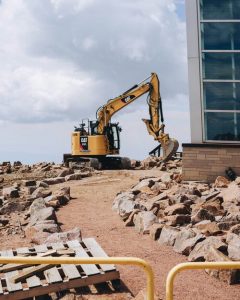
 Yes — a qualified managed IT provider can support both office staff and construction job sites, but only if they understand the realities of mobile crews, temporary job site networks, and cloud-based workflows.
For small construction companies with 10–25 employees, this often means supporting 2–5 active job sites plus an office team at the same time. Without the right IT setup, companies experience file access delays, security gaps, and downtime that can cost thousands of dollars per month in lost productivity.
As companies grow and add more job sites, having a structured IT plan becomes even more important (read how small construction companies should set up IT as they grow).
Why Construction IT Is Different from Office-Only IT
Construction companies don’t operate from a single location, and their IT needs reflect that.
Unlike office-only businesses, construction IT must support:
- Temporary job site trailers
- Changing internet connections
- Laptops, tablets, and mobile phones
- Remote access to plans, drawings, and schedules
- File sharing between job sites and the office
In other words, construction IT is hybrid by default. Any MSP supporting construction companies must be built for that complexity.
How MSPs Support Construction Job Sites
Supporting job sites requires more than basic help desk support.
A construction-capable MSP typically provides:
- Secure job site internet and Wi-Fi setup
- Cloud-based file access for drawings and documents
- VPN or secure remote access (when needed)
- Mobile device management for laptops and tablets
- Remote troubleshooting for field crews
The goal is simple: field teams get what they need without waiting on the office or risking security.
Supporting Office Staff at the Same Time
While job sites are critical, the office still drives operations.
An MSP supporting construction companies also manages:
- Help desk support for office staff
- Microsoft 365 and email systems
- File storage and access permissions
- Printers, workstations, and backups
- Ongoing cybersecurity monitoring
The best setups avoid splitting IT into “office” and “field” systems. Instead, they create one secure, unified environment.
Security Risks When Job Sites Aren’t Properly Managed
Job sites introduce unique security risks if IT isn’t handled correctly.
Common issues include:
- Unsecured job site Wi-Fi networks
- Lost or stolen laptops and tablets
- Shared or reused passwords
- Exposed cloud file permissions
- Phishing emails accessed from the field
Because construction companies frequently share files and work remotely, attackers often see job sites as the weakest link.
That’s why many construction firms move beyond basic antivirus and implement layered protection (see our guide on whether cybersecurity is really necessary for construction companies).
What to Look for in an MSP for Construction Companies
Not every IT provider is equipped to handle construction environments.
When evaluating an MSP, construction companies should look for:
- Experience supporting job sites and offices together
- Familiarity with construction software and workflows
- Cybersecurity bundled with managed IT
- Remote and on-site support capability
- Clear, flat-rate pricing
An MSP that understands construction operations will reduce delays, lower risk, and keep projects moving.
Real-World Office + Job Site IT Example
A Miami-based construction company with 14 employees and 3 active job sites struggled with unreliable file access and frequent IT issues.
Before managed IT:
- Job site crews waited on drawings
- Office staff handled constant IT emergencies
- No centralized security or standards
After moving to managed IT:
- Secure cloud access at all locations
- Job sites connected within hours, not days
- Fewer disruptions and predictable monthly IT costs
The difference wasn’t more hardware — it was the right IT strategy.
Why Construction Companies Choose Managed IT for Job Sites
Construction companies choose managed IT because:
- Job sites change frequently
- Downtime delays projects
- Security risks are higher in the field
- Owners don’t want IT emergencies
- Predictable costs simplify budgeting
Managed IT allows construction companies to focus on building — not troubleshooting technology.
Final Takeaway
Yes, an MSP can support both office staff and construction job sites — but only if they’re experienced with construction workflows, mobile environments, and security risks.
If your company operates across job sites and an office, the right IT setup can eliminate delays, reduce risk, and improve productivity across the board.
Many construction companies also want to understand what this level of support typically costs (see our breakdown of managed IT pricing for construction companies).
A short IT assessment can quickly show whether your current setup is helping or holding you back.